

Table of contents

Table of contents


Lark vs Clikup : Pricing
If you're looking for a project management and collaboration tool for your team, Lark and ClickUp both offer robust features that cater to a wide variety of industries. Both apps offer features such as chat, document collaboration, task assignment, and project management functions. In this blog post, we will compare Lark vs ClickUp, and explore the benefits they bring to collaboration and project management.
Lark and ClickUp both offer different pricing plans depending on the specific needs of organizations. But it’s not just about the price listed on the pricing page — it’s about what you’re actually getting for that price. To get all the functions your team needs, for example, the actual bill you need to pay to get ClickUp up and running can be larger than what's showcased on their pricing page.
With Lark, the free forever plan offers a robust feature set that can get a team started right away. It includes essential tools such as Calendar, Email, and Approval as well as collaborative document management apps such as Docs, Sheets, and Wiki. What’s more, you get a powerful no-code data management app called Base that has diverse use cases, from project management to CRM software. In 2025, ClickUp’s free plan, on the other hand, only offers 100MB of cloud storage and limited features, so it is only suitable for personal use.
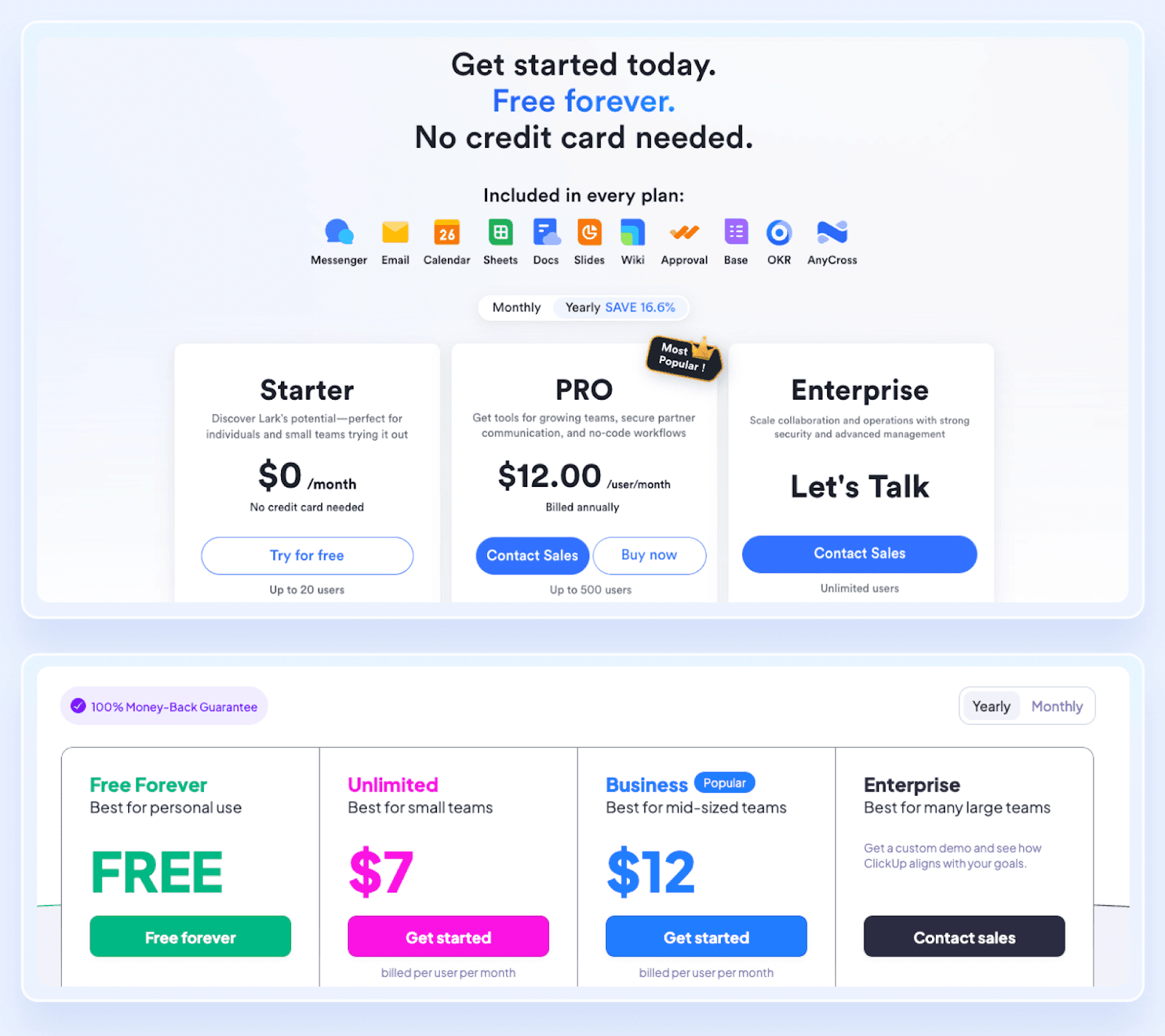 For paid plans, Lark’s pricing is also better than ClickUp when the total cost of a typical team’s tech stack is taken into account. With ClickUp, your team may still want to subscribe to a video calling tool or a spreadsheet app. All these costs quickly added, not to mention, that the user experience is also negatively impacted, having to constantly toggle between apps. For example, if you have 100 employees in your company and are paying for ClickUp, Google Workspace, and Zoom, you can save at least $25,200 per year if you switch to Lark.
 Lark vs Clickup : Teams
80% of the world's workforce do their job without a desk; thus, it's important to use a collaboration platform that is friendly for both front and back offices. A simple user experience and interface also play a significant role in how easy it is to onboard your teams. An unintuitive platform can lead to a challenging experience and if teams can't get aboard with a collaboration platform, companies are wasting their IT budget by buying a tool that employees won't use.
ClickUp provides a range of project views to help teams organize and track tasks, and includes tabs like chat, doc, and wiki to consolidate contexts about a project. While this helps teams focus on each project, some users may find it difficult to toggle between multiple spaces and quickly locate specific documents. With an upper menu bar, along with a left side bar, it can be confusing to understand what is selected and where to look. Users experience speed issues with ClickUp as well, which can lead to a frustrating experience.
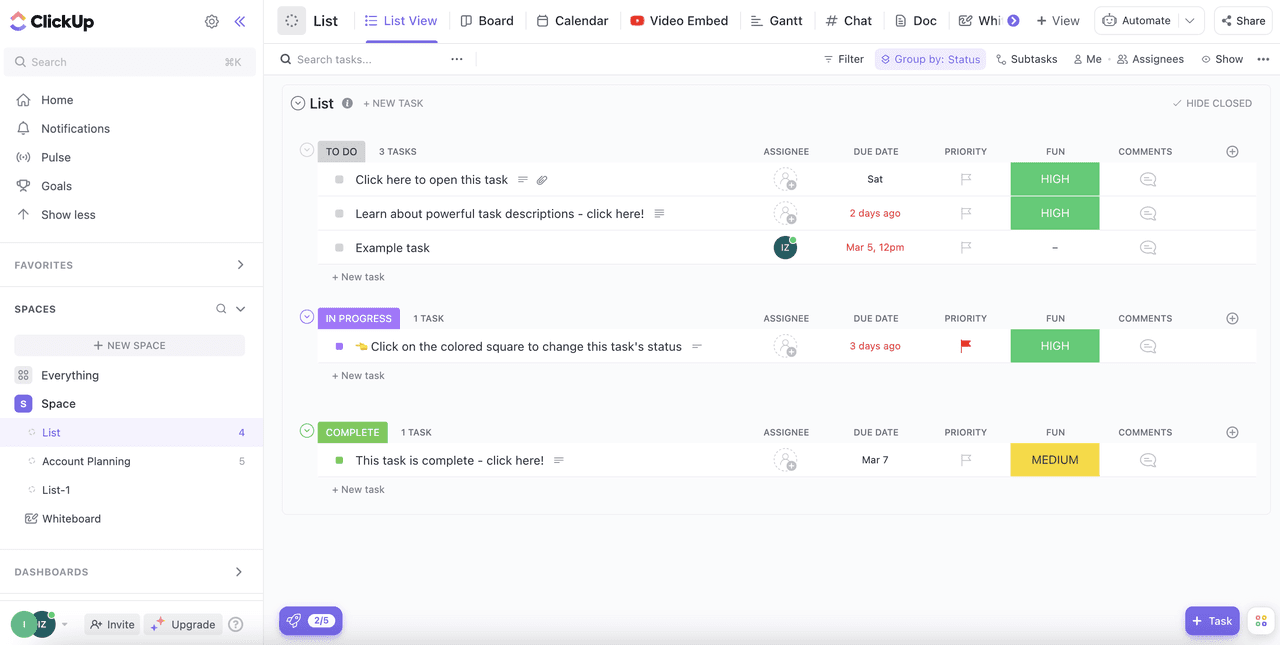 While ClickUp is mainly built for knowledge workers and project teams, Lark centers experience around collaboration and makes it easy to navigate for all teams. Despite all the features built into one app, everything a team needs is immediately accessible and displayed in the sidebar on desktop and at the bottom on mobile, making it intuitive for users to navigate and collaborate wherever they are. Project teams can still easily focus by creating project-specific chat groups, where project timelines, docs, boards, and more can be pinned as tabs for instant access.